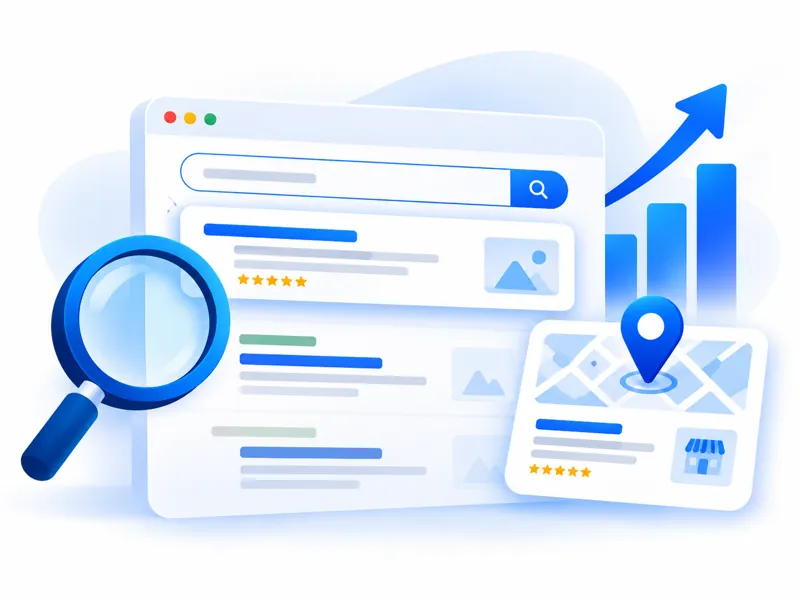
How to Show Up on Google Maps: A Google Business Profile Guide
A step-by-step guide for Malaysian local businesses to set up and improve a Google Business Profile so more nearby customers find you on Google Maps.
When someone nearby searches "cafe near me", "tyre shop Skudai" or "dentist Johor Bahru", Google usually shows a map with three businesses at the top. Getting into that list can bring a steady flow of walk-ins, calls and WhatsApp messages — and the listing itself is free.
That listing comes from your Google Business Profile (it used to be called Google My Business). This guide shows you how to set it up and improve it, step by step.
Who this is for
Any business that serves customers in a specific area:
- Shops, cafés, restaurants and salons customers visit in person
- Service businesses that travel to customers — contractors, aircond servicing, cleaning, movers
- Clinics, tuition centres, workshops and offices
If you only sell online with no local customers, this matters less — focus on your website and SEO instead.
Step 1: Claim or create your profile
- Search for your business name on Google Maps. If a listing already exists, choose "Claim this business". If not, choose "Add your business".
- Sign in with a Google account the business will keep long-term — not a staff member's personal account.
- Choose the main category that best matches what you do (for example "Car repair shop", not just "Shop").
- Add your address. If you visit customers instead of having a shop they can walk into, you can hide the address and set a service area instead.
Step 2: Verify it
Google needs to confirm your business is real. Depending on your business, it may ask for a phone call, video recording, email or postcard. Follow the steps shown — your profile won't appear properly until it's verified.
Step 3: Fill in everything
Incomplete profiles are one of the most common reasons businesses don't show up. Complete:
- Business name — your real name only. Don't stuff keywords into it; this can get your listing suspended.
- Phone number and WhatsApp link — make sure they're answered.
- Opening hours — including public holidays. Wrong hours frustrate customers fast.
- Website — link to your homepage or the most relevant page.
- Services or products — list each one with a short description.
- Business description — explain what you do and which areas you serve, in plain language.
Step 4: Add real photos
Profiles with good photos tend to get more attention. Add:
- The outside of your shop (so people recognise it when they arrive)
- The inside and your team at work
- Your actual products or completed jobs
Use your own photos, not stock images — customers want to see the real thing.
Step 5: Get reviews — honestly
Reviews are one of the strongest signals for local ranking, and they help customers decide.
- Ask happy customers directly, right after a good experience. A short link sent by WhatsApp or SMS makes it easy.
- Reply to every review, including the bad ones. Stay calm, thank them, and offer to fix the problem.
- Never buy fake reviews or post reviews for yourself. It breaks Google's rules and can get reviews removed or your listing penalised — and customers can often tell.
Tip: you can automate the review request — for example, a thank-you SMS with your review link sent the day after a completed job. That's a simple example of marketing automation.
Step 6: Keep it active
- Post updates or offers occasionally
- Answer questions customers ask on your listing
- Update hours before public holidays
- Add new photos as your business changes
Keep your details the same everywhere
Google cross-checks your name, address and phone number across the internet — your website, Facebook page, directories. Make sure they match exactly everywhere. Different phone numbers or old addresses create confusion.
Common mistakes
- Using a personal account that a former employee still controls
- Choosing a vague category
- Adding city names or keywords to the business name
- Ignoring negative reviews
- Setting up the profile once and never touching it again
Frequently Asked Questions
Is Google Business Profile free?
Yes. Creating and managing the profile is free. You only pay if you choose to run Google Ads on top of it.
How long does it take to show up on Google Maps?
After verification, your profile can start appearing quite quickly, but ranking higher in the map results for competitive searches takes time — usually as your reviews, photos and website improve.
Do I need a website if I have a Google Business Profile?
It helps a lot. Your profile and your website support each other: the website gives Google more information about your services and area, and gives customers somewhere to learn more. See does my business need a website?
Can I have a profile without a physical shop?
Yes. Service-area businesses can hide their address and show the areas they serve instead.
The bottom line
For local businesses, a complete, verified and active Google Business Profile is one of the highest-value things you can do online — and it costs nothing but a bit of time.
If you'd like us to review your listing, or handle local SEO for your business in Johor Bahru and across Malaysia, we're happy to help.